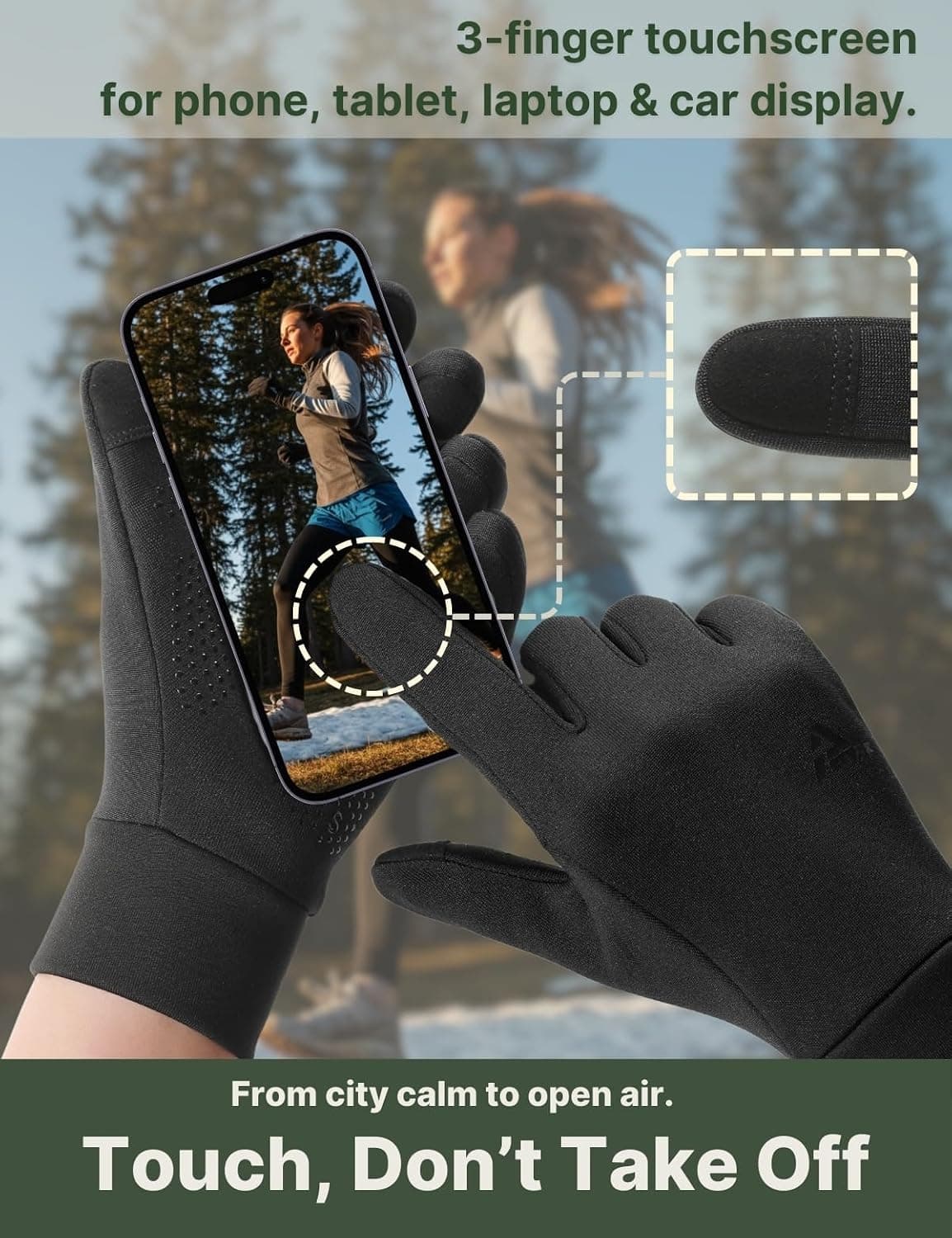
Touchscreen contact is a small circuit
A capacitive screen is designed to notice a change in an electrical field. Bare skin supplies that change easily. A glove inserts fabric between the finger and the glass, so a normal knit can stop the contact from being detected. Touchscreen compatibility is not magic and it is not the same as making the whole glove conductive. It is a deliberate conductive path at the fingertips you are likely to use.
Aerynx uses conductive touch yarn at the thumb, index, and middle fingertips on both current pairs. That is what we mean by three-finger touchscreen. It is a five-finger glove with three touch-ready fingers on each hand, not a mitten, lobster construction, or claim that every part of the glove can operate a screen. Keeping the term precise prevents a useful feature from being confused with an entirely different shape of glove.
The layout covers common actions: waking a phone, tapping a map, changing a track, accepting a call, or entering a short message. It will not remove every reason to take a glove off. Small controls, fingerprint readers, wet glass, and an app that demands fine precision can still be awkward. The honest goal is fewer interruptions during ordinary cold-weather tasks.
Why a working fingertip can still fail
Contact needs alignment. If a finger stops short of the conductive patch, the screen sees ordinary insulating fabric. This is why a snug, comfortable fit matters: the fingertip should land where the yarn is placed without pulling the seam away from the finger. Too loose can create an air gap and make the gesture vague. Too tight can make the hand cold or shorten the usable range of motion. Close is the target; compression is not.
Cold weather adds ordinary human variables. Skin can be dry, the glass can be damp, and a frozen phone may react slowly for reasons unrelated to the glove. A swipe made with a stiff hand is less precise than a tap made with a relaxed one. Start by warming the body and covering the wrist, then check the contact. A glove cannot compensate for every cold-weather interaction.
Wear also changes the surface. Dirt, oils, and repeated abrasion can change how a touch patch feels and how accurately it lands. The silicone grip on the palm helps with handling a phone, bar, or steering wheel, but grip and conductivity are different functions. A grippy palm does not make an arbitrary fingertip conductive, and a conductive fingertip does not guarantee a secure hold on every wet object.
A repeatable check before you leave
You do not need a laboratory to find obvious fit problems. Put on both gloves, relax your hands, and wake the same phone you will carry. Test one tap, a short swipe, a two-finger zoom, and a map pin. Repeat with the thumb, index, and middle finger rather than relying on one successful tap. Then hold the phone as you would while walking or riding. If the patch only works when you stretch the hand unnaturally, revisit the size.
- Check the thumb, index, and middle finger on both hands.
- Test tap, swipe, zoom, and a small text field instead of a single screen wake.
- Keep the phone dry and use the same case you will use outdoors.
- Confirm that a relaxed grip still puts the conductive area on the glass.
- If the patch is aligned but contact remains unreliable, clean and fully dry the glove and screen before changing size.
Same touch layout, different temperature jobs
X1 and X2 share the thumb, index, and middle fingertip arrangement, so the touch decision does not require choosing between basic phone access and warmth. Their construction roles differ. X1 uses a four-way-stretch shell with a 320 gsm fleece interior and a DWR water-repellent face for 5–15°C (41–59°F). X2 adds a knit shell, wind-blocking mid-layer, and 320 gsm fleece for 0–10°C (32–50°F). Choose by the weather and pace, then expect the same touch layout to work best when the fit is correct.
| Pair | Touch-ready fingers | Comfort-use window | Other handling cue |
|---|---|---|---|
| X1 · $18.99 | Thumb, index, middle | 5–15°C / 41–59°F | Silicone grip; four-way stretch shell |
| X2 · $20.98 | Thumb, index, middle | 0–10°C / 32–50°F | Silicone grip; wind-blocking mid-layer |
If the outing is wet, remember that both faces are water-repellent, not waterproof. Moisture on the screen or inside the glove can make a correct conductive layout feel inconsistent. X2 can take a shell below about −4°C (25°F) or in long wet cold, provided the combined fit leaves your fingertips able to reach their intended patches.
The limits are part of the feature
We do not claim that three conductive fingers work perfectly on every touchscreen, in every case, or in every weather condition. We do claim the current arrangement: conductive thumb, index, and middle fingertips on X1 and X2. A screen protector, a bulky case, wet glass, a stiff hand, or a task that needs very small controls can all change the result. Set expectations around the actual gesture, not a blanket word such as seamless.
Both current pairs are Hand Wash Only. Use mild detergent, line dry away from direct heat, and avoid bleach, softener, tumble drying, and ironing. Let the glove dry fully before storing it. High heat and residue can change the feel of stretch, fleece, and touch areas. Care preserves the construction; it cannot add a fourth conductive finger or make the face waterproof.
The current listings are X1 at $18.99 / ASIN B0FM468WQC and X2 at $20.98 / ASIN B0FM479G1V. Both carry one-year support against manufacturing defects. These details make the purchase traceable, while the touch check helps you decide whether the job is a fit for a five-finger glove rather than a claim that one feature solves every cold-weather interaction.
Questions readers ask
Touchscreen use in the cold
- What does three-finger touchscreen mean?
- It means the thumb, index, and middle fingertips on each current Aerynx glove use conductive touch yarn. It does not describe a mitten or a three-finger glove shape.
- Why do touchscreen gloves fail when the feature is present?
- Common causes include a loose or compressed fit, a finger missing the conductive patch, dry skin, wet glass, a case, or a gesture that needs more precision than a glove allows.
- Can I use X2 below freezing?
- X2 is specified for 0–10°C / 32–50°F. Below about −4°C / 25°F or in long wet cold, use it as an inner layer under an appropriate shell if the combined fit remains comfortable.