The short answer
Your touchscreen gloves smell like yesterday's commute, the palms have picked up salt, and you are hesitating over the sink because the conductive fingertips and grip dots look too delicate to wash. There is no universal laundry setting. Start with the glove's care label, then use a gentle clean, thorough rinse and slow dry.
For the current Aerynx X1 Lite and X2 Daily care guidance, that means cold hand washing with mild detergent, line drying away from direct heat, and skipping bleach, fabric softener, tumble drying and ironing. Other gloves can differ. GORE-TEX glove care instructions are a useful official example of gentle handling, but even GORE says to follow the manufacturer's label for the finished glove. The steps below show how to avoid common mistakes; they do not override your label.
Why winter gloves do not share one washing rule
A winter glove may combine face fabric, insulation, lining, conductive fingertip fabric, silicone or printed grip, membrane, seams and elastic cuffs. Water, detergent, friction and heat reach those parts differently, so a knit liner, waterproof shell and synthetic-palm glove can require different care.
Hestra's care guide separates leather care from other materials and tells readers to follow the specific instructions for non-leather gloves. It also warns against turning a glove with a fixed lining inside out because the lining, insulation and membrane can be difficult to restore. That is why a competitor's gentle cycle, a leather balm or a removable-liner routine is not a shortcut for your pair.
Before adding water, find the model name and read the label. If it is missing, ask the maker rather than guessing. The Aerynx glove-care guide is the starting point for current X1 Lite and X2 Daily guidance, not a universal rule.
What to check before the first rinse
| Check | Why it matters | Your action |
|---|---|---|
| Model and label | The outer fabric, lining, palm and finish may be different from another pair. | Write down the model and follow its exact wash and dry symbols. |
| Soil | Surface salt, mud, food and odor may need different levels of cleaning. | Start with a gentle spot clean when the label permits; do not scrub the whole glove for one mark. |
| Touchscreen area | Conductive pads can be roughened by aggressive brushing or abrasion. | Keep brushes, pumice and hard rubbing away from the fingertips. |
| Palm grip | Silicone, prints or synthetic coatings can respond badly to solvent, bleach or heat. | Use only the mild cleaner and water method the label allows. |
| Drying space | A damp glove stored in a pile can stay wet inside after the surface feels dry. | Prepare ventilation and a place to dry the fingers and cuff separately. |
Remove loose grit before wetting the glove and empty the finger cavities; grit can become abrasive against a touchscreen pad. If the glove is torn, delaminating or has a loose conductive patch, ask the maker about care before washing. Cleaning is not a repair method.
A cautious hand-wash sequence
Use this sequence only when the label permits hand washing. The goal is to remove soil without turning cleaning into a stress test for the touchscreen and palm.
- Shake out sand, grit and loose dirt; close any fastener so it cannot catch the fabric.
- Use the temperature and small amount of mild liquid detergent named by the care instructions. Do not add bleach or fabric softener.
- Move the glove gently through the water and work soil with your fingers. Touch pads and grip lightly rather than scrubbing.
- Rinse until the water runs clear and no detergent feel remains. Residue can leave the glove stiff when it dries.
- Press water from fingers toward the wrist. Do not twist, wring or pull the fingertips.
- Shape the fingers apart with the cuff open, then dry in moving air away from a heater, strong sun or an iron. Change its position so the inside, palm and cuff all dry.
GORE's instructions use lukewarm water and allow a specific low-heat exception for shell gloves, while the current Aerynx X1/X2 guide says cold hand wash and line dry. Do not borrow a heat step from another construction. How to dry winter gloves inside covers the final moisture check.
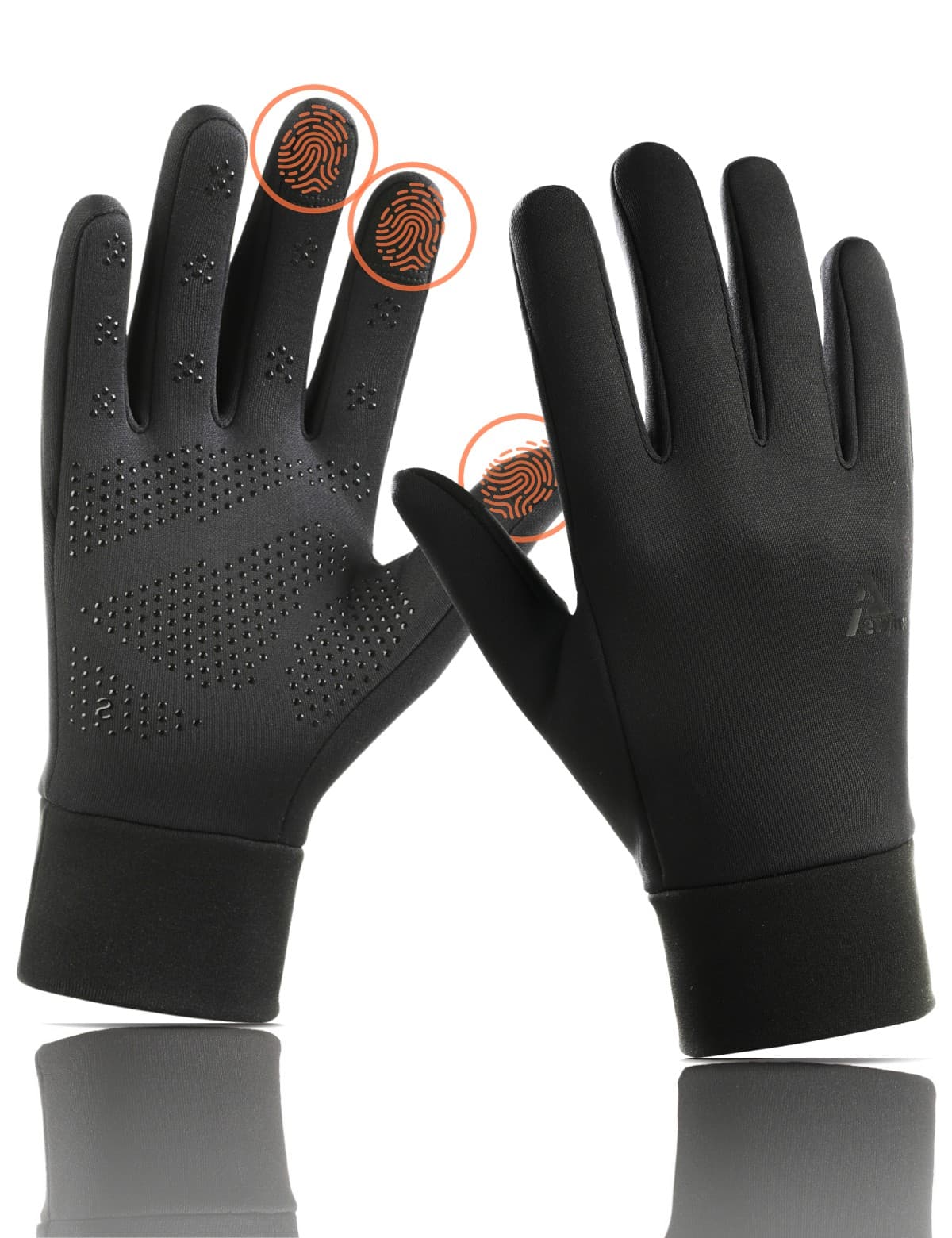
Protect the touchscreen fingertips and palm grip
Touchscreen performance depends on a clean, dry conductive area contacting a clean, dry screen. Washing cannot guarantee the old response. It may remove salt or oil, but abrasion, fit, a damaged pad, phone moisture or a screen protector can also matter.
- Let the gloves and phone dry fully before testing. A damp fingertip or wet screen makes the result hard to interpret.
- Use the finger positions the product actually specifies. Do not assume every fingertip is conductive because one or two work.
- Tap a familiar screen control with a relaxed finger. If it misses, check fit and screen moisture before blaming the wash.
- Check the grip area for lifted dots, peeling print or a changed texture. Stop using aggressive cleaners if the surface looks altered.
If your main complaint is phone use rather than dirt, why touchscreen gloves stop working is the better troubleshooting path. Washing is one possible maintenance step, not a promise that every device, protector or screen setting will respond.
What to do when water no longer beads
A clean glove can still lose some surface beading with wear. That observation is different from proving that the glove's full weather barrier has failed. The PFAS-free DWR and rain guide explains why DWR, oil exposure, seams and waterproof construction need separate checks.
After the glove is fully dry, observe a small amount of water only if the maker permits that check. If droplets spread, confirm the glove was cleaned and dried correctly, then read model-specific guidance before any treatment. GORE mentions pump-spray DWR for its system; Aerynx's current X1/X2 guide does not authorize a generic heat or reproofing recipe, so do not transfer it.
What the Aerynx care guidance means by model
For the current Aerynx X1 Lite and X2 Daily guidance, use cold hand washing with mild detergent, a thorough rinse, line drying away from direct heat, and no bleach, fabric softener, tumble drying or ironing. X1 is water-repellent with a silicone palm grip; X2 Daily 2026 has a waterproof soft-touch shell, wind-blocking middle layer and graphene-fiber fleece lining. These details support a label-led routine, not a tested wash-cycle count or a guarantee that touch or DWR will never change.
For Aerynx X3 Winter, treat the exact care label as controlling. Its palm is microfiber PU synthetic, not leather, and its inner construction is fixed rather than removable, so do not use leather conditioner or force it inside out. X0 Kids also needs model-specific guidance. Keep the glove whose care you can follow, and dry it completely before the next outing.
Washing touchscreen winter gloves: FAQs
Washing touchscreen winter gloves
- Can I put touchscreen winter gloves in a washing machine?
- Only if the exact care label permits it. Current Aerynx X1 Lite and X2 Daily guidance calls for cold hand washing, while another official liner product may list a cold gentle machine cycle. The model's instructions control.
- Does fabric softener make fleece gloves softer?
- Do not assume so. Current Aerynx guidance and GORE-TEX glove care say to skip fabric softener. It can leave residue and may affect finishes or conductive areas; use the mild cleaner specified by the label instead.
- Can a dryer restore touchscreen response after washing?
- No guarantee. High heat can damage or change glove materials, and touchscreen response also depends on fit, the phone, the screen and the protector. Dry the glove according to its label, then test it clean and fully dry.
- Can I turn a fixed winter glove inside out to clean the lining?
- Not unless the manufacturer explicitly says to. A fixed lining, insulation and membrane can be difficult to put back correctly. Use the labeled cleaning method and focus on complete drying instead.